



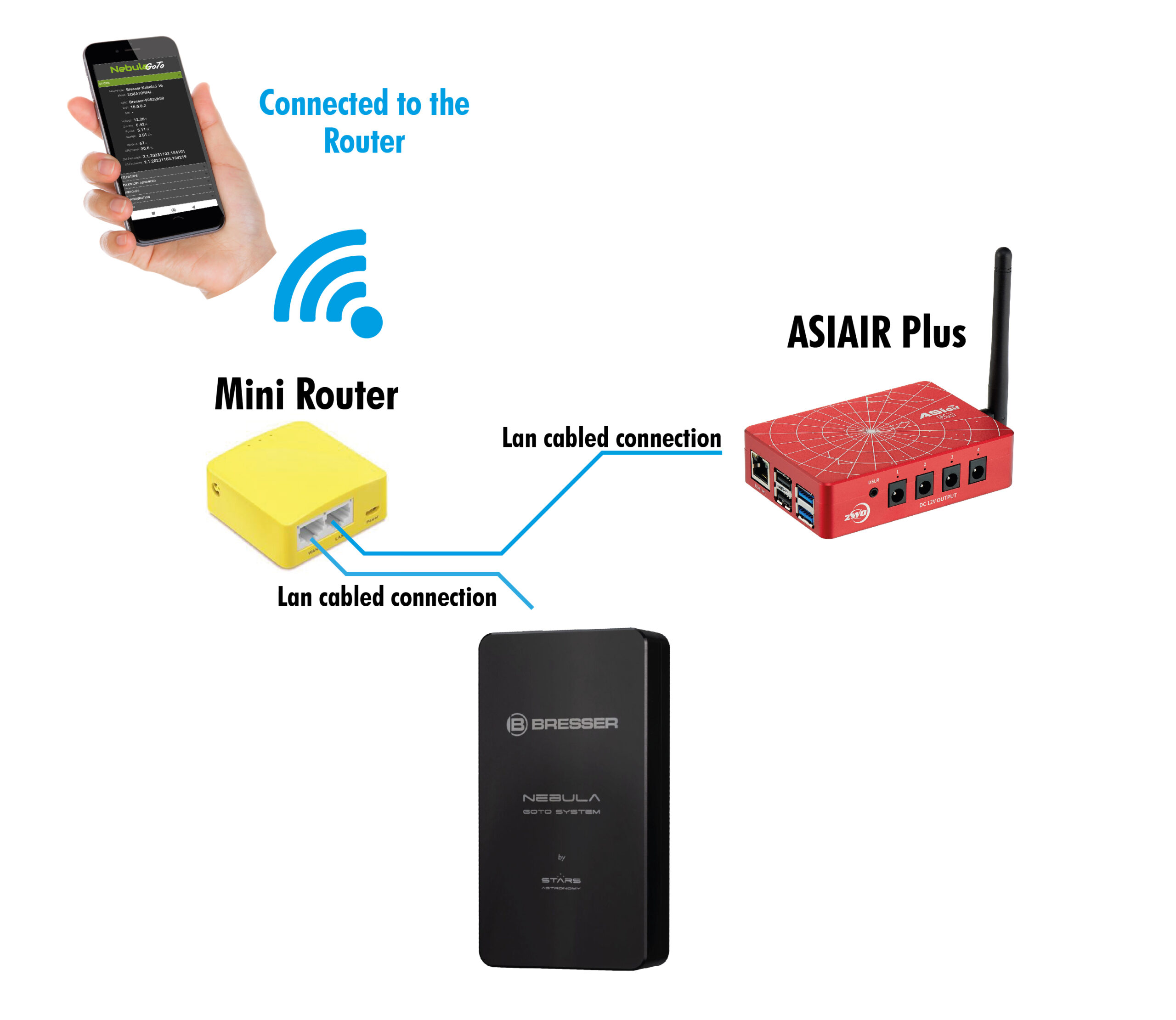
Connect both the devices to a router via LAN cable: in case a domestic router will be not available (i.e. Star Party or astrophotography on the field), it is suggested the use of a Mini Router.
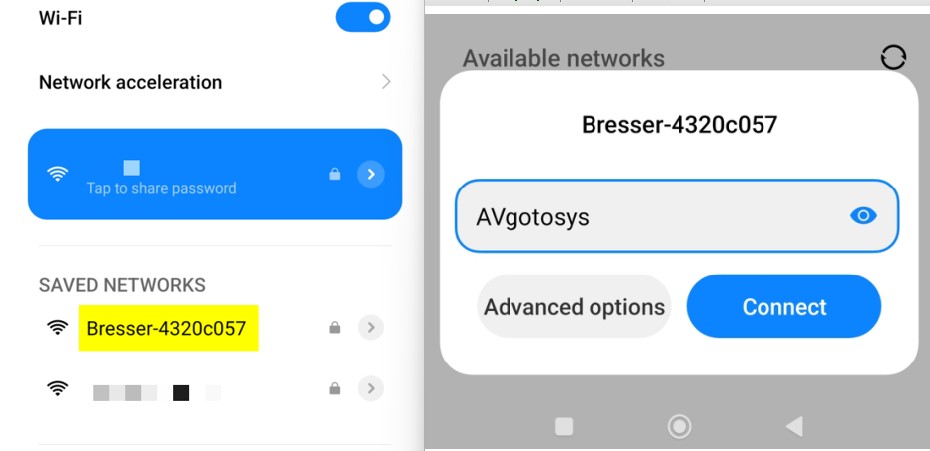
Find the StarGo Plus IP address: to get this information will be required to connect with a smart device to the Nebula controller via WiFi direct connection first. So, find the Bresser network (the network name always start with Bresser and finish with an alphanumeric code) and type the following password: AVgotosys (see picture below)
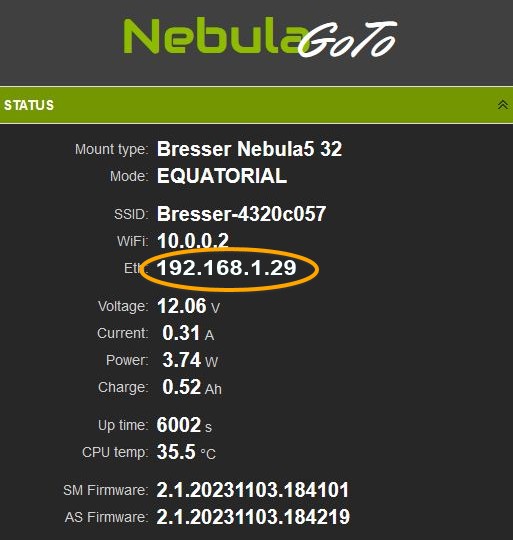
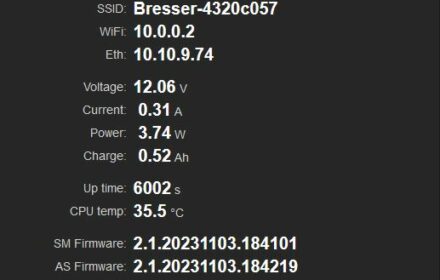
Then go to the Nebula webapp STATUS page to check the IP address. In this sample is 192.168.1.29
Connect the smart device (cellphone or table) to AsiAir
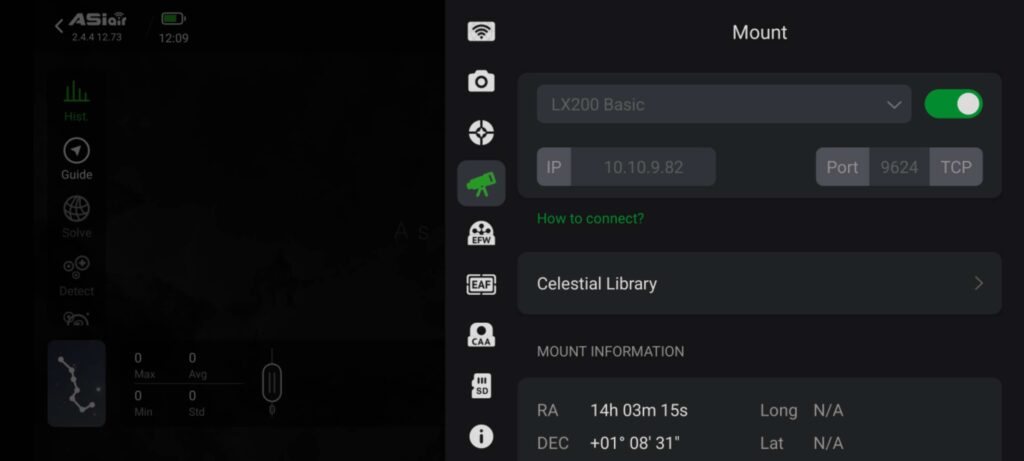
In the AsiAir app go to the Telescope setting and in the Mount driver list select the LX200 Basic. Type in the IP field the address found previously. In the TCP field type 9624

To complete the connection tap on the enabling button
Now the system is ready to work.
PLEASE NOTE: in this configuration the guide is not supported



,%20it%20is%20suggested%20the%20use%20of%20a%20Mini%20Router.%20Find%20the%20StarGo%20Plus%20IP%20address:%20to%20get%20this%20information%20will%20be%20required%20to%20connect%20with%20a%20smart%20device%20%5B…%5D&media=https://www.stars-astronomy.com/wp-content/uploads/2025/10/Nebula-asiair-connection-through-mini-router_Tavola-disegno-1-scaled.jpg)